
OpenAi Ads Connector Launch

Levy Online Ships OpenAI Ads Connector Days After ChatGPT’s Self-Serve Launch
Levy Online has announced the release of a working API connector for OpenAI Ads, the new advertising platform inside ChatGPT. The connector moves campaign data out of OpenAI’s Advertiser API and into Google BigQuery, or pushes a daily JSON payload to any reporting tool through a webhook. OpenAI opened its self-serve Ads Manager to U.S. advertisers on May 5, 2026. Levy Online’s connector was available for live ad accounts within 48 hours.
Most reporting tools that marketers rely on, including Salesforce Marketing Cloud Intelligence (formerly Datorama), Looker Studio (formerly Google Data Studio), Power BI, and Tableau, do not yet offer a native source for OpenAI Ads. The handful of third-party data pipeline vendors that may eventually add it (Improvado, Adverity, Windsor.ai, NinjaCat, Funnel, and similar platforms) typically require a full-suite subscription to access a single connector. A team that just needs OpenAI Ads in their existing dashboard is asked to pay for fifty connectors they will not use.
Levy Online is offering this one on its own.
What the Connector Does
The connector reads campaign, ad group, ad, and daily performance data from the OpenAI Advertiser API. It then makes that data available in two ways.
- Direct write to Google BigQuery: Levy Online provisions a BigQuery dataset (the client’s own project, or a Levy-hosted project) and the connector writes daily refreshes into a stable, well-documented schema. Anything that reads BigQuery (Looker Studio, Tableau, Power BI, Sigma, Hex, Mode, Marketing Cloud Intelligence, even a spreadsheet through the BigQuery add-on) can read this data with zero additional engineering.
- Daily webhook delivery: For teams that do not use BigQuery, the connector posts a JSON payload to any URL the client specifies. The payload covers every active campaign, every ad group, every ad, and every day’s performance numbers. A receiving system can write that payload to its own database, drop it into a data lake, or feed it directly into a reporting tool that accepts JSON inputs.
Both methods run on a daily schedule and can be triggered on demand. The data is idempotent, meaning a re-run of the same date range produces the same result without duplicates. Backfills for historical date ranges are supported.
Why This Matters Right Now
OpenAI Ads is the first new major ad platform in years. Early advertisers, including holding companies, like Dentsu, Omnicom, Publicis, and WPP, are already running campaigns. The questions every one of them is asking are the same questions that come up with every new ad platform:
How is it pacing? How does spend compare to Google, Meta, and Bing? Where does it sit on the cross-channel report we send to clients on Monday?
Until reporting tools build native OpenAI Ads connectors, the answers to those questions live inside OpenAI’s own Ads Manager, separate from everything else. That is a real problem for any agency or brand that has spent years building unified dashboards. Levy Online’s connector is a bridge built specifically for that gap.
Quotes
“We watched OpenAI roll out the self-serve Ads Manager on Monday and shipped the connector by Wednesday. That is what early adoption is supposed to look like. Our clients should not have to wait six months for a major BI vendor to catch up before they can see ChatGPT ad performance next to the rest of their media.”
— Nick Kohli, CEO, Levy Online
“ We built our own reporting platform in-house, which means we are not waiting on a vendor to build an integration. When a new ad platform launches, we can move on it.
And we are not asking anyone to switch dashboards or buy into a new analytics suite. If you already use Looker Studio, BigQuery, Power BI, or Marketing Cloud Intelligence, the connector slots in behind it. The data shows up where you already work.
— Ryan Smith, VP of Marketing, Levy Online
Available Now
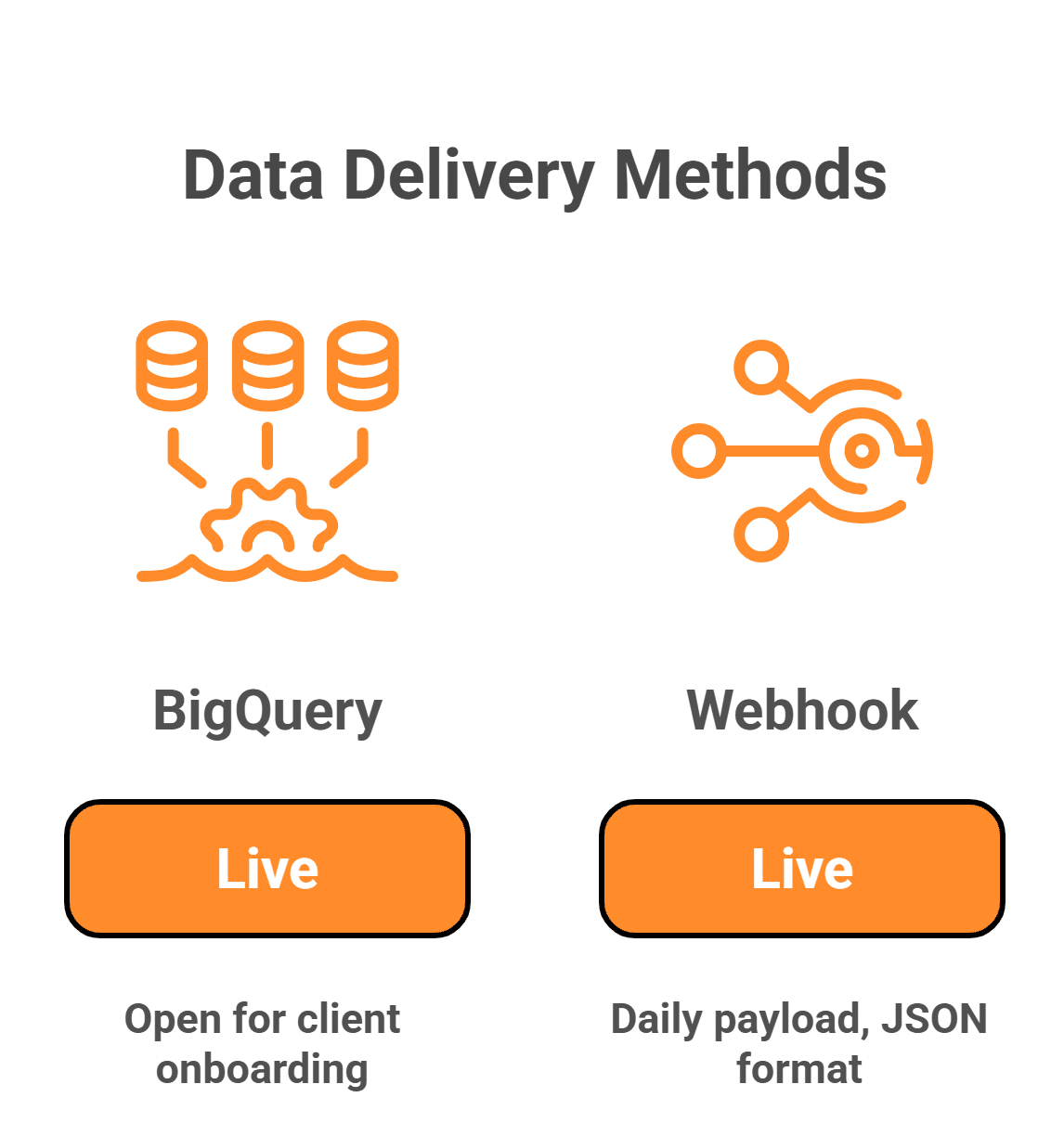
- BigQuery delivery: Live. Open for client onboarding.
- Webhook delivery: Live. Daily payload, JSON format, schema documented below.
- Custom destinations: Available on request. If a client uses a system that accepts data through a different method (S3 drop, SFTP, direct database write, a REST endpoint with a non-standard auth pattern), Levy Online will scope and build the integration. There is an inquiry form at the bottom of this page for these requests.
- Waitlist: A separate list is open for organizations that want to be among the first to test new features as they ship. Early features under active development include pacing monitoring, pacing, flight and spend monitoring, performance monitoring and critical event detection, annotations and change events, conversion data, and dashboards/visuals built using our custom solutions.
The Webhook Payload Schema
The data contract below is what gets written to BigQuery/posted to webhooks. It is documented here in plain language so anyone, technical or otherwise, can confirm whether their reporting tool can accept it.
Top-Level Structure
The webhook delivers one JSON object per day, per ad account. The object has three sections:
{
“meta”: { … }, // when the data was pulled and what it covers
“entities”: { … }, // campaigns, ad groups, ads (the structure)
“performance”: [ … ] // one row per day, per ad, with the numbers
}
Meta
Information about the delivery itself. Useful for confirming freshness and matching deliveries to specific syncs.
|
Field |
Type |
Description |
|---|---|---|
|
delivered_at |
timestamp |
When Levy Online’s connector sent this payload. |
|
ad_account_id |
string |
OpenAI’s account identifier (the act_* string). |
|
ad_account_name |
string |
Friendly name of the account. |
|
date_range_start |
date |
First day covered by this payload (YYYY-MM-DD). |
|
date_range_end |
date |
Last day covered by this payload. |
|
timezone |
string |
The ad account’s local timezone. Performance data is bucketed by this timezone. |
|
connector_version |
string |
The version of the connector that produced this payload. |
Entities
Campaign, ad group, and ad metadata. This is the structure of what is running.
Campaign Object:
|
Field |
Type |
Description |
|---|---|---|
|
campaign_id |
string |
OpenAI’s campaign identifier. |
|
name |
string |
Campaign name as set in Ads Manager. |
|
status |
string |
Active, paused, ended, etc. |
|
objective |
string |
Reach (CPM) or Clicks (CPC). |
|
start_time |
timestamp |
When the campaign begins running. |
|
end_time |
timestamp |
When the campaign stops, if set. |
|
budget_lifetime |
number |
Total lifetime budget in USD. |
|
budget_daily |
number |
Daily budget in USD, if set. |
|
targeting_countries |
array |
List of country codes. |
|
targeting_locations |
array |
List of geographic targeting entries. |
Ad Group Object:
|
Field |
Type |
Description |
|---|---|---|
|
ad_group_id |
string |
OpenAI’s ad group identifier. |
|
campaign_id |
string |
Parent campaign. |
|
name |
string |
Ad group name. |
|
status |
string |
Active, paused, etc. |
|
context_hints |
array |
The phrases that describe the conversation topics this ad group targets. This field is unique to OpenAI Ads. |
|
billing_event_type |
string |
Impressions or clicks. |
|
max_bid |
number |
Maximum bid in USD. |
Ad Object:
|
Field |
Type |
Description |
|---|---|---|
|
ad_id |
string |
OpenAI’s ad identifier. |
|
ad_group_id |
string |
Parent ad group. |
|
name |
string |
Ad name. |
|
status |
string |
Active, paused, etc. |
|
review_status |
string |
Approved, in_review, or rejected. |
|
creative_title |
string |
Title of the ad. |
|
creative_body |
string |
Body copy. |
|
creative_target_url |
string |
Landing page URL. |
|
creative_image_url |
string |
Image asset URL, if any. |
Performance
The numbers. One row per day, per ad. This is what feeds dashboards, pacing reports, and anomaly alerts.
|
Field |
Type |
Description |
|---|---|---|
|
date |
date |
Local-time date for the row (YYYY-MM-DD). |
|
ad_account_id |
string |
Account identifier. |
|
campaign_id |
string |
Campaign identifier. |
|
ad_group_id |
string |
Ad group identifier. |
|
ad_id |
string |
Ad identifier. |
|
impressions |
integer |
Number of times the ad was shown. |
|
clicks |
integer |
Number of clicks. |
|
spend |
number |
Total spend in USD for the day. |
|
ctr |
number |
Click-through rate (clicks divided by impressions). |
|
cpc |
number |
Average cost per click in USD. |
|
cpm |
number |
Cost per thousand impressions in USD. |
|
conversions |
number |
Conversion count associated with the advertiser’s conversion events. |
|
conversion_value |
number |
Conversion value associated with the advertiser’s conversion events. |
A Complete Example Payload
{
“meta”: {
“delivered_at”: “2026-05-08T03:00:14Z”,
“ad_account_id”: “act_abc123”,
“ad_account_name”: “Example Brand”,
“date_range_start”: “2026-05-05”,
“date_range_end”: “2026-05-07”,
“timezone”: “America/Los_Angeles”,
“connector_version”: “1.0.0”
},
“entities”: {
“campaigns”: [
{
“campaign_id”: “camp_001”,
“name”: “Spring Promo”,
“status”: “active”,
“objective”: “clicks”,
“start_time”: “2026-05-01T00:00:00Z”,
“end_time”: null,
“budget_lifetime”: null,
“budget_daily”: 500.00,
“targeting_countries”: [“US”],
“targeting_locations”: []
}
],
“ad_groups”: [
{
“ad_group_id”: “ag_001”,
“campaign_id”: “camp_001”,
“name”: “Travel Planning”,
“status”: “active”,
“context_hints”: [“weekend trips”, “family vacation ideas”],
“billing_event_type”: “clicks”,
“max_bid”: 4.00
}
],
“ads”: [
{
“ad_id”: “ad_001”,
“ad_group_id”: “ag_001”,
“name”: “Family Resort Card”,
“status”: “active”,
“review_status”: “approved”,
“creative_title”: “Plan Your Family Getaway”,
“creative_body”: “Resort packages with kids stay free.”,
“creative_target_url”: “https://example.com/family”,
“creative_image_url”: “https://example.com/img/family.jpg”
}
]
},
“performance”: [
{
“date”: “2026-05-07”,
“ad_account_id”: “act_abc123”,
“campaign_id”: “camp_001”,
“ad_group_id”: “ag_001”,
“ad_id”: “ad_001”,
“impressions”: 12450,
“clicks”: 287,
“spend”: 1148.00,
“ctr”: 0.0231,
“cpc”: 4.00,
“cpm”: 92.21,
“conversions”: 0,
“conversion_value”: 0
}
]
}
Integration Reference: Getting OpenAI Ads Data Into Your Dashboard
Q: I Have a Choice Between BigQuery Delivery and a Webhook. Which One Should I Pick?
Pick BigQuery if your reporting tool already reads from BigQuery, or if you have a data team that wants the data sitting in a warehouse for blending with other sources. Pick the webhook if you want the data delivered straight to a tool that does not naturally connect to BigQuery, or if your team prefers to handle the data in your own systems. Both options carry the same fields and refresh on the same daily schedule.
Q: How Do I Get OpenAI Ads Data Into Looker Studio (Formerly Google Data Studio)?
Use BigQuery delivery. Levy Online writes the data to a BigQuery dataset. Looker Studio connects to BigQuery natively. Build a report against the dataset and it will refresh daily without any further setup.
Q: How Do I Get OpenAI Ads Data Into Salesforce Marketing Cloud Intelligence (Formerly Datorama)?
Either method works. Marketing Cloud Intelligence accepts data from BigQuery and from generic JSON and API sources. The webhook payload is structured in a way that Marketing Cloud Intelligence can ingest as a custom data stream. If you already have other sources feeding into Marketing Cloud Intelligence through BigQuery, the BigQuery route is simpler.
Q: How Do I Get OpenAI Ads Data Into Power BI?
BigQuery is a supported data source in Power BI, so the BigQuery route is the most direct. If you cannot connect Power BI to BigQuery, use the webhook with a Power Automate flow that catches the daily payload and writes it to a SharePoint list, OneLake, or Dataverse. From there, Power BI reads it like any other Microsoft data source.
Q: How Do I Get OpenAI Ads Data into Tableau?
Connect Tableau to BigQuery using Tableau’s built-in BigQuery connector. Once the connection is established, the dataset is available like any other data source.
Q: How Do I Get OpenAI Ads Data Into a Custom or In-House Dashboard?
Use the webhook. Most internal data warehouses and custom reporting systems can accept a daily POST and route the payload to a staging table. From the staging table, the data is available for any internal tool that reads your warehouse.
Q: What About Other Tools, Like Sigma, Hex, Mode, or Domo?
Any tool that reads BigQuery can read the data. Sigma, Hex, and Mode all support BigQuery as a native source. Domo accepts BigQuery and also accepts webhook input through Domo Workbench or its API. The same daily refresh applies in every case.
Q: My Tool Is Not on This List. What Now?
Use the inquiry form below. Levy Online has built integrations to several non-standard destinations, including SFTP drops, S3 buckets, and direct database writes. Most reasonable requests can be scoped within a short conversation.
Q: Can I Get Historical Data, or Is It Daily-Forward Only?
Backfills are supported for any historical date range available through the OpenAI Advertiser API. The connector runs a backfill on the same schema as the daily refreshes, so historical data and ongoing data live side by side in the same dataset.
Q: Will the Schema Change?
The current schema is documented above and is treated as a stable contract. When OpenAI adds new fields to its Advertiser API (conversions data, for example), Levy Online adds them as new columns rather than renaming or removing existing ones. Existing reports will not break when the schema grows.
Pricing and Access
The connector is offered as a managed service. There is no per-seat license, no platform subscription, and no requirement to use any other Levy Online product. Pricing depends on the number of ad accounts and the destination. Interested parties are invited to submit the inquiry form below to begin the onboarding process.
About Levy Online
Levy Online is a performance marketing agency based in Las Vegas, Nevada. Our agency manages paid media for clients across search, social, programmatic, and conversational AI advertising. Levy Online has been building our own internal analytics and budget management software for several years and has begun releasing pieces of that work to our clients and partners. The OpenAI Ads connector is the first of these releases offered as a standalone product.